Personal strategic plan template
Free to print, copy and share. Adapted from the paper planner Life Console was built from.
A personal strategic plan turns a vague ambition into a few prioritised goals, each broken into milestones you can measure, each with a date, plus a schedule for checking whether it's working. Download the PDF, or use the blank template below (press ⌘P or Ctrl+P: only the template prints), with how to fill it in and a worked example.
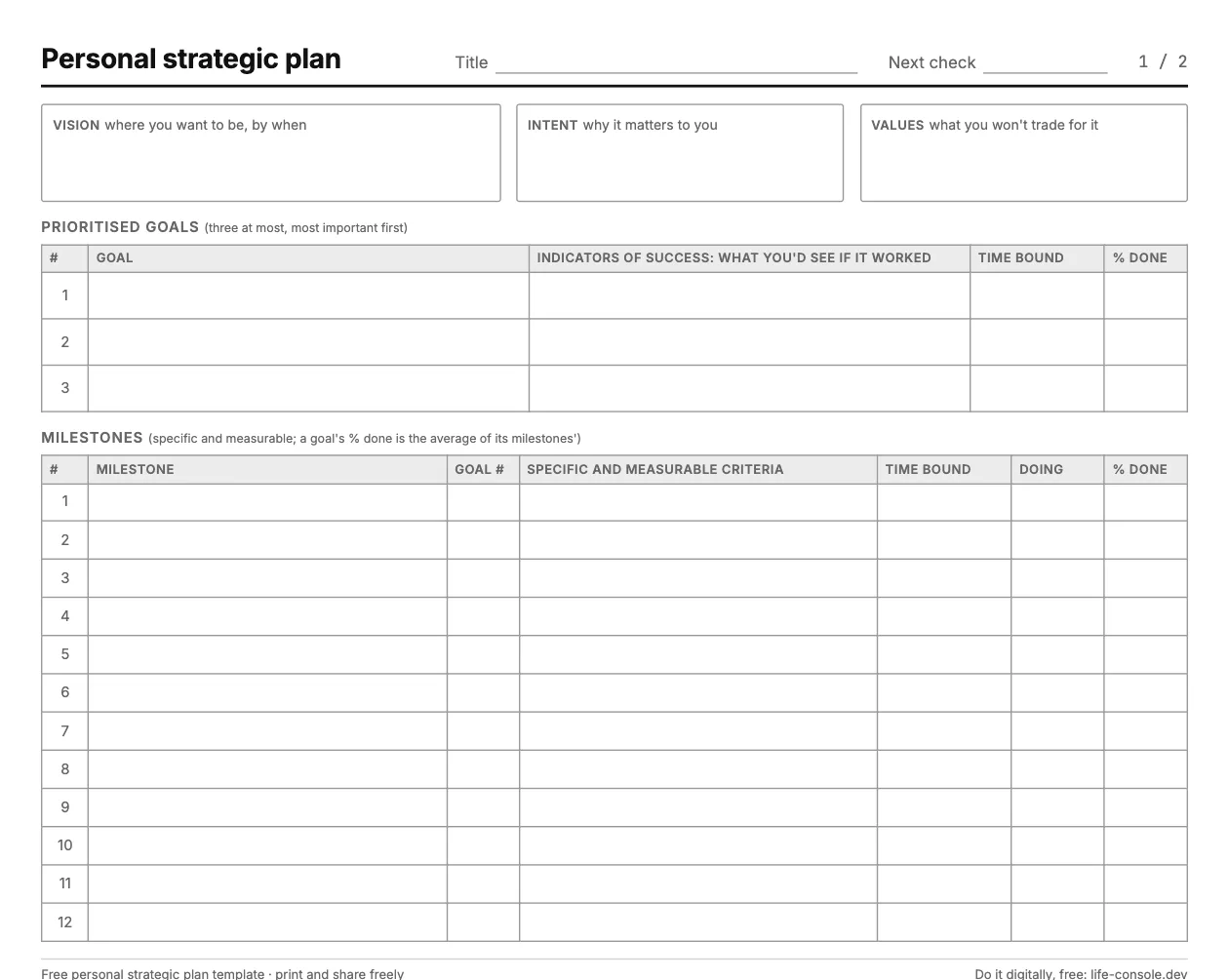
The PDF is A4 landscape. Page 2 adds a goal map to draw what depends on what, the check schedule, decision points and key dates.
1. Vision and intent
| Plan |
|
| Title |
|
| Vision: where you want to be |
|
| Intent: why it matters to you |
|
| Values: what you won't trade for it |
|
| Next check date |
|
2. Prioritised goals
| Priority |
Goal |
Indicators of success |
Time bound |
% done |
| 1 |
|
|
|
|
| 2 |
|
|
|
|
| 3 |
|
|
|
|
3. Milestones (specific, measurable)
| Priority |
Milestone |
Serves goal |
Specific and measurable criteria |
Time bound |
% done |
| 1 |
|
|
|
|
|
| 2 |
|
|
|
|
|
| 3 |
|
|
|
|
|
| 4 |
|
|
|
|
|
| 5 |
|
|
|
|
|
| 6 |
|
|
|
|
|
4. Check schedule
| Check every |
Date |
What I checked |
What I'll change |
|
|
|
|
|
|
|
|
|
|
|
|
5. Decision points
| Goal or milestone |
If it succeeds |
If it fails |
|
|
|
|
|
|
How to fill it in
- Write the vision in one sentence, as a state you can recognise: "Working as a data analyst, in a team I like, by June 2027", not "get better at my career". The intent says why, so you can tell later whether a shortcut still serves it.
- Pick two or three goals, and rank them. More than three and none get the week. Each one needs indicators of success: what you'd see if it worked.
- Break each goal into milestones with specific, measurable criteria and a time bound: "Finish 4 portfolio projects, each published with a write-up, by 31 March". A milestone you can't measure can't be checked. A goal's % done is the average of its milestones'.
- Set a check frequency (every two weeks works for most plans) and put the first date in your calendar. A plan that's never checked quietly turns into a wish.
- Decide in advance what you'll do if a milestone succeeds or fails. That's the difference between a plan and a hope: you've already chosen the next move.
- Link this week's tasks to a milestone. If nothing on your list serves the plan this week, that's the first thing to fix.
Example: a career change in 18 months
| Plan |
|
| Vision |
Working as a data analyst in a team I like, by June 2027 |
| Intent |
Work I find interesting, with skills that keep growing |
| Values |
Keep weekends with family; no debt for courses |
| Check |
Every 2 weeks, Sunday evening |
| Priority |
Goal |
Indicators of success |
Time bound |
| 1 |
Job-ready skills |
Can do a take-home analysis task in under 4 hours |
31 Dec 2026 |
| 2 |
A portfolio that gets interviews |
3 interview invitations from 20 applications |
31 Mar 2027 |
| 3 |
Network in the field |
10 conversations with working analysts |
Continuous |
| Milestone |
Serves |
Specific and measurable criteria |
Time bound |
| SQL and Python course |
1 |
Course finished, all exercises passed |
15 Oct 2026 |
| Statistics refresh |
1 |
40 practice problems at 80% or better |
30 Nov 2026 |
| Portfolio projects |
2 |
4 projects published, each with a write-up |
31 Mar 2027 |
| Applications |
2 |
20 tailored applications sent |
31 May 2027 |
| Coffee chats |
3 |
1 conversation every 2 weeks |
Continuous |
Decision point: if fewer than 3 interviews come from the first 20 applications, spend two weeks rewriting the portfolio's write-ups before sending more.
Do it in Life Console instead (free)
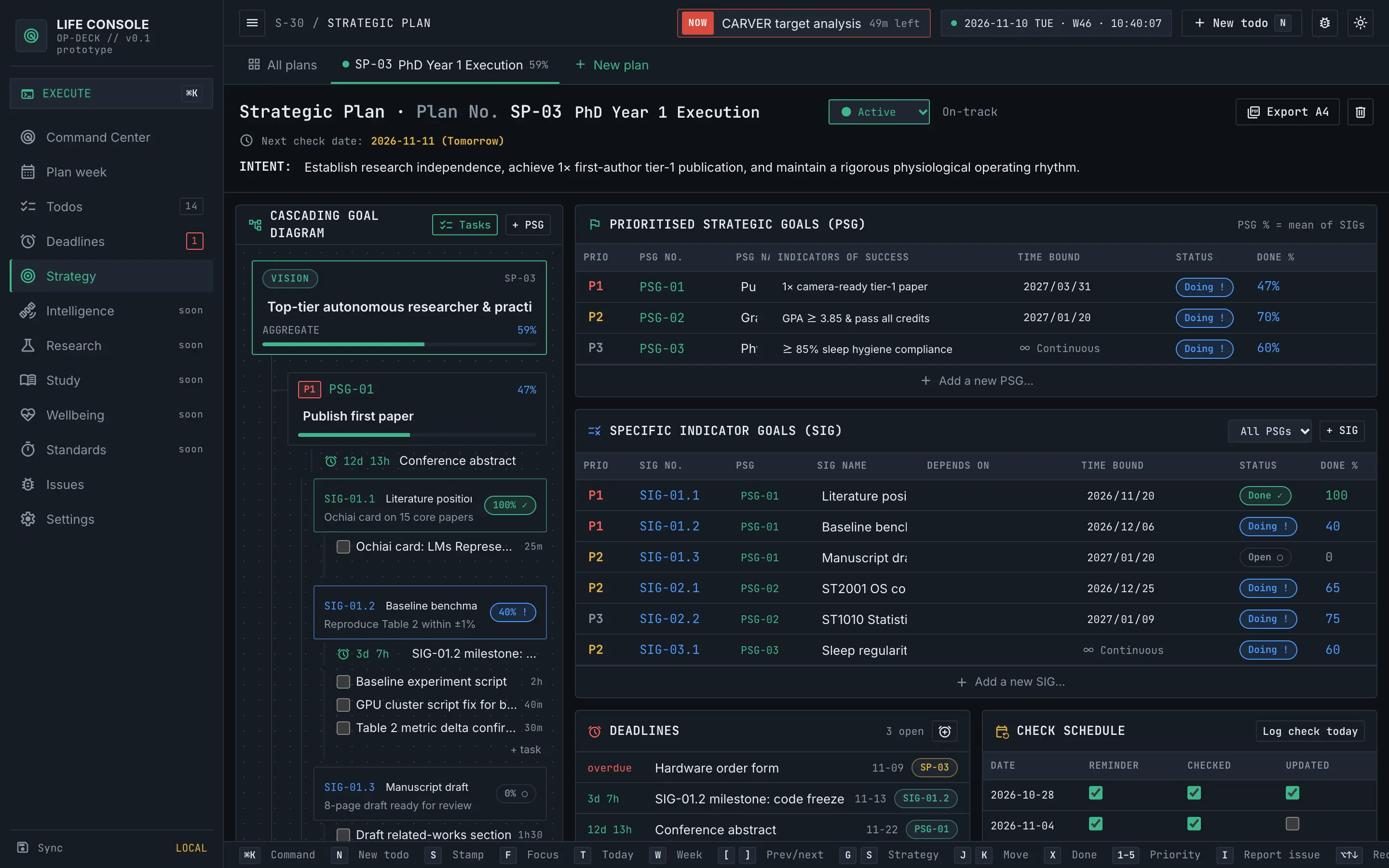
Life Console is the free, open-source app this template turned into. The Strategy screen holds the same plan: vision and intent, prioritised goals (PSGs) and measurable milestones (SIGs) with time bounds, a check frequency with Log check today, and the events timetable. What paper can't do:
- Tasks link to milestones. Tag a task with
@SIG-01.2 and it shows up under that milestone, so you see this week's work feeding the plan.
- Goal flow: the plan drawn as a timeline of what depends on what, with late milestones in red. Drag a card to move its date.
- Reminders: your goals' dates show up next to your deadlines, in Plan week and in the morning briefing, so the plan comes to you.
See the guide to the Strategy screen →
More free templates
 LIFE CONSOLE