 LIFE CONSOLE
Life Console / Templates /
Weekly planner template with time blocking
Most weekly planners give you seven boxes and hope for the best. This one gives every task a day and then a time, and stops you overfilling a day: each one holds about 7 hours of real work, shaded in as you plan. It's the paper planner Life Console was built from, cleaned up for anyone to use.
What's in it
- Page 1: the week. Up to three goals for the week, and a backlog of every task with its estimate in minutes, its due date and the day it goes on.
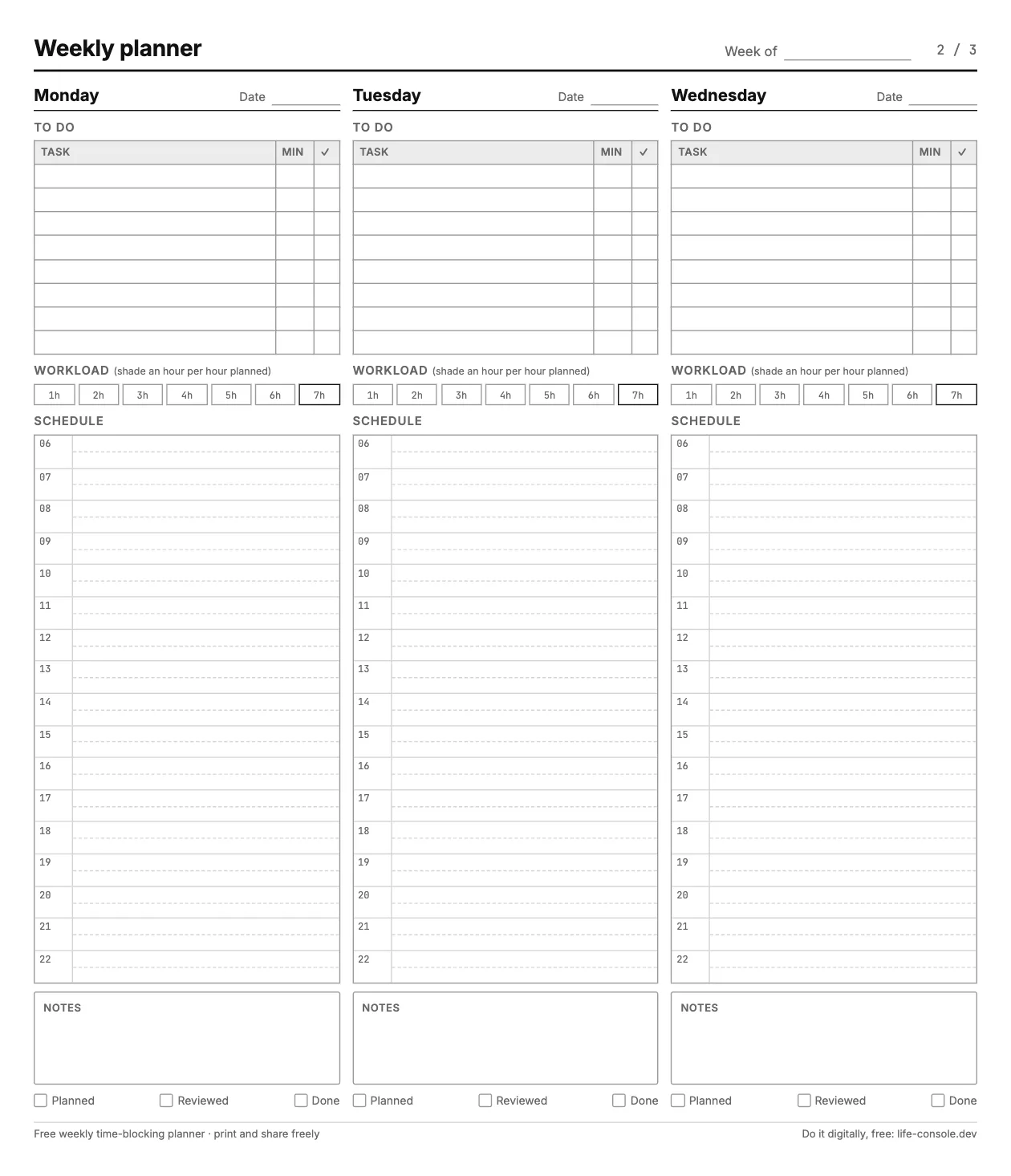
- Pages 2 and 3: the days. Monday to Friday and the weekend, each with a to-do list, a 7-hour workload bar and an hourly schedule from 06:00 to 22:00 with half-hour lines, notes, and three boxes to tick: Planned, Reviewed, Done.
- Daily sheet: one day on one page with more room: a top 3, everything else, the workload bar, a schedule from 05:00 to 22:00 and an evening review.
How to time-block a week with it
- Empty your head into the backlog. Every task you might do this week, each with an honest estimate in minutes. Big tasks get split until no piece is more than about two hours.
- Give each task a day. As you move a task onto a day, shade its hours in that day's workload bar. When a day reaches 7 hours, it's full: move the next task to a lighter day instead. That's what keeps the week realistic.
- Give each task a time. Each morning (or the evening before), block that day's tasks onto its schedule, most important first, in the hours you work best. Leave a gap or two for the things nobody planned.
- Review in the evening. Tick what's done. For everything else, decide: tomorrow, another day, or back to the backlog. Then tick Reviewed.
Why 7 hours?
Because a working day is never 8 or 9 hours of tasks: there are meetings, messages, breaks and things that take longer than planned. Capping each day at about 7 hours of planned work, and spreading the load evenly across the week, is what makes a plan you can actually finish. If your days are shorter, shade the boxes you don't have before you start.
The same planner, without the paper
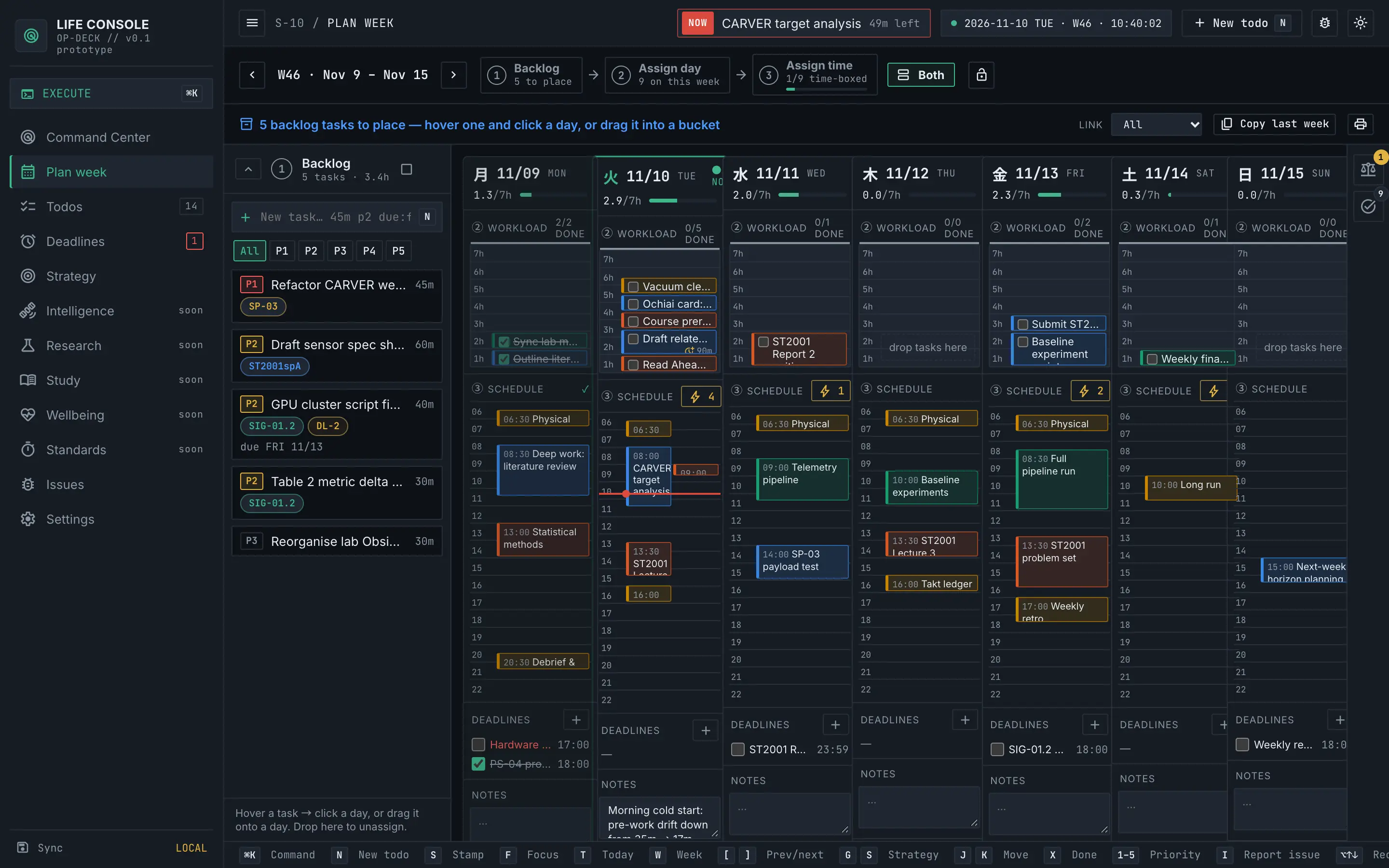
Life Console is the free, open-source app this planner turned into. Plan week has the same three steps on one screen: drag tasks from the backlog into a day's 7-hour bucket (it turns red when a day is too full), then onto its timeline, or press Auto time-box to place them into free gaps by priority. The current block counts down on the Today screen, and the evening Debrief walks through what's left. It's free at life-console.dev, or self-hosted.
Comparing apps instead? See the best time blocking apps, compared →
More free templates
- Personal strategic plan template →: vision, prioritised goals, measurable milestones and a check schedule, with a PDF to print.